 |
| Clean water for everyone! |
Showing posts with label google. Show all posts
Showing posts with label google. Show all posts
Monday, June 9, 2014
Congratulations to the Doodle 4 Google Winner!
Congratulations to the Doodle for Google Winner, Audrey! Watch the two minute video to see some of the finalists and Audrey talk about her winning drawing!

Thursday, May 22, 2014
Check out the World's First Google Learning Space

How cool is this classroom? Google is taking things to the next level by creating the first ever physical Google Learning Space, a collaborative learning center where students of all ages come to read, learn, and share using technology in a specially designed environment. The colorful space is equipped with two Chromecasts, which students use to project assignments, presentations and videos from their laptops and tablets; two Smart TVs; a sound system; and a high-performance wireless network. The room is set up to accommodate a variety of learning activities -- students can choose from beanbags for independent reading, stools for guided instruction, or mats for interactive group work.
Would you want to learn in this classroom? I would. I would also LOVE to teach in this classroom!
Tuesday, May 20, 2014
Chrome Tips

Since the Chromebooks are coming and a lot of us have been using the Chrome browser, I thought I'd share this article that has 100 Awesome Tips for using Chrome. One of the coolest features of Chrome in my opinion is the Chrome Web Store. Here you can add different features and function to your Google Chrome Browser. Check out this great tutorial below to see exactly what an extension is. If you want to know some of my favorite extensions, just ask (hint hint, I'd love to share it with you in person)! I'd be happy to share and help you get them installed for your Google Chrome browser. An added bonus is when you sign into Chrome, these new features will already be there. Awesome, right?
Sunday, May 18, 2014
Read & Write for Google: Cool Chrome App
How can we make sure we make everything accessible in Google for those with learning disabilities?
Make files and the web accessible for those with learning disabilities such as dyslexia, struggling readers & writers, and ESL/ELL.
NEW! FREE for TEACHERS! Teachers get a FREE subscription to Read&Write for Google. To register and activate your premium subscription, go to www.texthelp.com/drive/home/registerteacher after installing Read&Write for Google.
Read&Write for Google™ offers a range of powerful support tools to help students gain confidence with reading and writing.
• Hear words, passages, or whole documents read aloud with easy-to-follow dual color highlighting
• See the meaning of words explained with text and picture dictionaries
• Hear text translated into other languages
• Predicts the next word as you type
• Highlight interesting or relevant text and collect it for use in other documents
Read&Write for Google™ is a friendly browser add-in for use with PCs, Macs and Chromebooks.
It works with web pages and common file types in Google Drive, including:
- Google Docs
- PDF
- ePub
- Kes
Install Read&Write for Google™ to access ALL these features FREE for 30 days!
After 30 days, you can still access basic features in Google Docs and web pages, including Read Aloud and Translator.
Tuesday, May 13, 2014
Google Glass
A few people in the hallway have stopped to asked me about Google glass. I saw this infographic today which helped me understand it a little bit better... looks super cool!

Tuesday, May 6, 2014
Google must of known we are going one to one next year...
Check out Google's new product, coming soon, to our Google Apps for Education domain. I think this will be an AWESOME addition to our Google Apps.
Classroom is a new, free tool coming to Google Apps for Education that helps teachers easily and quickly create and organize assignments, provide feedback, and communicate with their classes. This video highlights the experiences of some of the teachers and students who gave us feedback to help develop Classroom. Learn more: http://google.com/edu/classroom
Are you excited about the increase in instructional tools (technology) that we will be receiving next year? Do you have any questions? Concerns? I'd love to hear them! Let me know!
Classroom is a new, free tool coming to Google Apps for Education that helps teachers easily and quickly create and organize assignments, provide feedback, and communicate with their classes. This video highlights the experiences of some of the teachers and students who gave us feedback to help develop Classroom. Learn more: http://google.com/edu/classroom
Are you excited about the increase in instructional tools (technology) that we will be receiving next year? Do you have any questions? Concerns? I'd love to hear them! Let me know!
Monday, May 5, 2014
Great Google Tip: Set Timer
Did you know that you can use Google Chrome to set a timer extremely easily? Check out my screencast below to learn more. Let me know if I can help you with this trick!

Wednesday, April 30, 2014
Vote for your favorite Doodle for Google
Young artists coast to coast doodled their inventions to make the world a better place. Doodle 4 Google guest judges have chosen the 50 state winners. Now it's your turn to vote!
The winner's doodle will appear on the Google.com homepage and he or she will receive a $30,000 scholarship and a $50,000 Google for Education technology grant for his or her school. Help us choose the winner - cast your votes for each grade group now.
You have until May 9th to cast your vote. Click here to be taken to the voting page. Even though none of our submissions were chosen, they still illustrate some beautiful ideas. Check it out!

Thursday, April 24, 2014
Take Your Classroom to Work Day
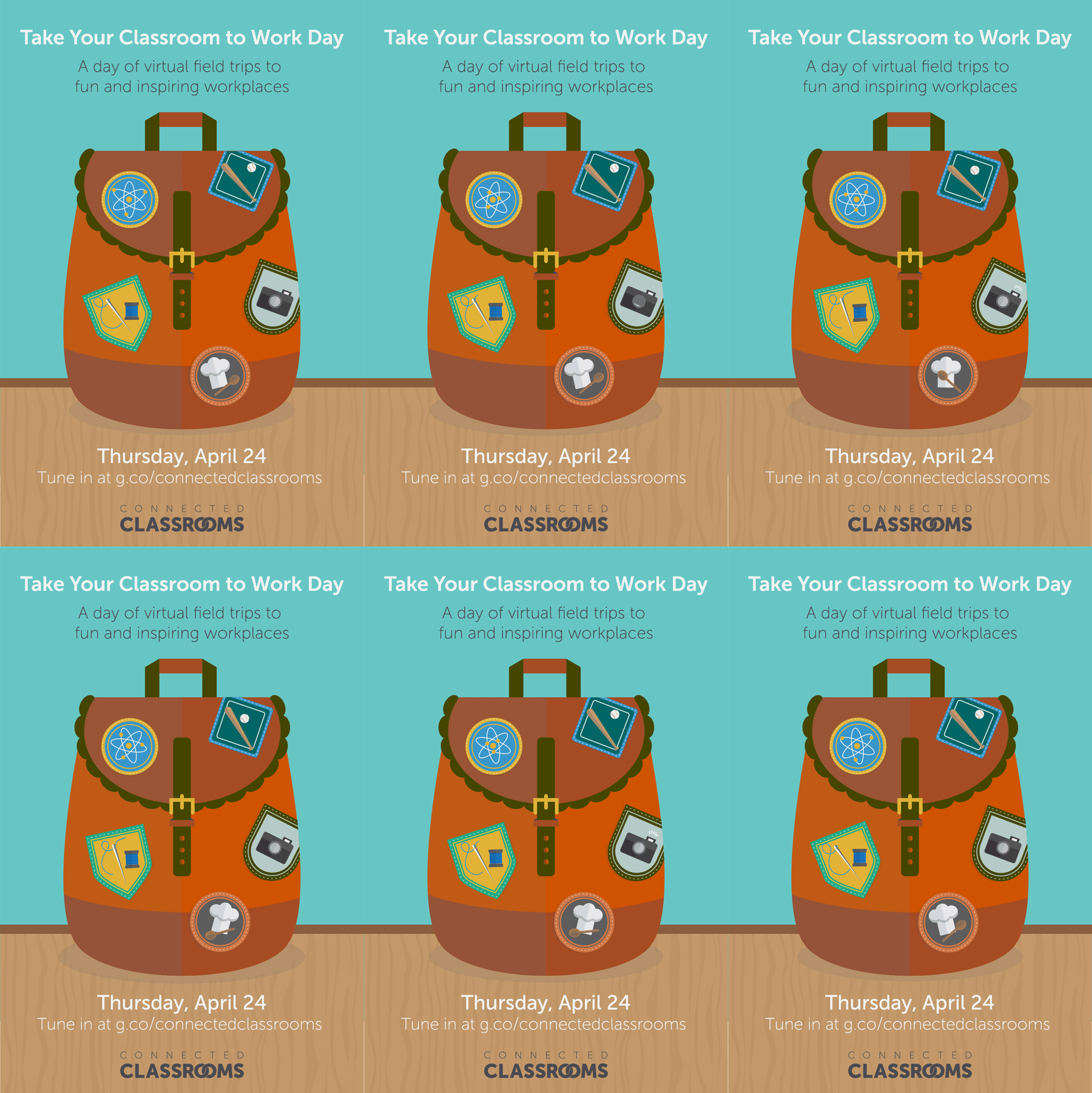 As you may have noticed, today was Take Your Child to Work Day. I recall going to one of the very first "Take Your Daughter to Work Days" when I was in school - and enjoyed spending the day seeing what my dad did. Times have changed a bit - and with that, Google hosted a Take Your Classroom to Work Day today where they hosted a variety of virtual field trips to various fun and inspiring workplaces. Check out some of the field trips below and see the recordings of the experiences.
If you’re a student, parent or teacher, we encourage you to tune in to the topics that interest you. Most field trips are appropriate for all-ages, while a handful may be more interesting for high school students.
Take Your Classroom to Work:
- with a U.S. Senator
- at NASDAQ
- with the Ramen Burger entrepreneur
- at Forbes
- with a filmmaker
- with sports marketers
- with a YouTube celebrity chef
- at The Met
- in the world of fashion
- at the Huffington Post
- with the Chicago Bulls
- with a TV news anchor
- in Hollywood’s special effects
- at the Georgia Aquarium
- with nurses
- at Second City
- with a scientific investigator
- with one of our country’s heroes

Wednesday, April 9, 2014
Do you enjoy shortcuts?
Did you know that when you are looking at your Google Calendar either for your classroom, checking out a computer cart, your personal calendar, etc. you can use some Google Calendar shortcuts to navigate around? This was a new quick tip I learned today!
Check out the shortcuts below and try them the next time you are in your Google Calendar!


Check out the shortcuts below and try them the next time you are in your Google Calendar!
If these don't work for some reason, check your Google Calendar Settings to make sure you have the keyboard shortcuts enabled. Mine were without a problem, but just in case, here's what you're looking for.

I'm always happy to help! I hope you enjoyed this quick tip!
Wednesday, March 26, 2014
Happy Photo Editing!
I came across this awesome new addition to Google Drive and had to share! The post is from the Google Drive Blog, enjoy!
Google Slides and Drawings make it easy for you to tell a story and share your ideas. And a big part of storytelling is the images you use to bring a concept to life. Now it’s even easier to get those images just right, because Slides will let you crop, apply shape masks, and add borders to your images right within your presentation.
Cropping
To crop an image, select it and click on the crop image icon in the toolbar.
 Then drag the corners to your desired crop size and hit enter to make the crop.
 Applying masks
To crop your image to a particular shape, apply a mask from the pull-down menu next to the crop icon.
 There are tons of shapes, arrows and callout designs to choose from, like the heart example below.
 Adding borders
Add a border to your image by clicking on the line weight icon, and give it a little extra pop by changing the line color.
 Look out for image editing in Slides and Drawings over the next couple of hours. Here’s to more beautiful presentations and drawings!
Google Slides and Drawings make it easy for you to tell a story and share your ideas. And a big part of storytelling is the images you use to bring a concept to life. Now it’s even easier to get those images just right, because Slides will let you crop, apply shape masks, and add borders to your images right within your presentation.
Cropping
To crop an image, select it and click on the crop image icon in the toolbar.
To crop your image to a particular shape, apply a mask from the pull-down menu next to the crop icon.
Add a border to your image by clicking on the line weight icon, and give it a little extra pop by changing the line color.
Sunday, March 23, 2014
Are you studying...
The White House? Washington D.C? The Presidents?
Click here to go on a Virtual Tour of the White House using Google Maps! It's a very cool way to travel though the White House. If you want to hear a funny story about me actually visiting the White House in 5th grade, just ask! It starts of with, "I was separated from my family when I set off the metal detector..." Let me know if you want to know more!
Click here to go on a Virtual Tour of the White House using Google Maps! It's a very cool way to travel though the White House. If you want to hear a funny story about me actually visiting the White House in 5th grade, just ask! It starts of with, "I was separated from my family when I set off the metal detector..." Let me know if you want to know more!
Friday, March 21, 2014
Roosevelt's Doodle For Google Entries
Some of our students here at Roosevelt just participated in the Google for Doodle competition. Students were challenged to create a Google Doodle with the following theme:
"If I Could Invent One Thing to Make the World a Better Place"
"If I Could Invent One Thing to Make the World a Better Place"
Check out our submissions below!
Wednesday, March 19, 2014
Google Story Builder
I read about an awesome resource today called, Google Story Builder. Watch the video to see how this teacher explains how to use it in your classroom.
Does this sound like something you would want to use? I'd love to see you try in with your students. Let me know how I can help!
Thursday, March 13, 2014
Doodle for Google
Only one week left to submit your doodles!
I've received two submissions so far... does anyone else have any? I'm happy to submit them for you. For more information, please click here.
One lucky artist will work one-on-one with the doodlers to animate his or her artwork for the Google homepage. The winning student will also receive a $30,000 college scholarship, and win a $50,000 Google for Education technology grant for his or her school!
Check out this Virtual Field Trip Below.
Wednesday, March 12, 2014
Check out what is coming to Google Docs!
Yesterday, Google launched add-ons—new tools created by developer partners that give you even more features in your documents and spreadsheets. To browse through add-ons for Docs and Sheets, select Get add-ons in the Add-ons menu of any open document or spreadsheet. Once you install an add-on it will become available across all of your documents or spreadsheets and you can start using it right away. Note that add-ons for spreadsheets are only available in the new Google Sheets. I'll be sharing some of the good "Add -Ons" for you once we have access.
Keep your eyes open for this new feature in your Google Docs - we should see it soon in our Google Domain in District 64!
Wednesday, March 5, 2014
Hapara is here for 4th and 5th grade teachers
If you are a 4th or 5th grade teacher - you now have Hapara - which is only going to enhance your Chrome and Chromebook experience. Check out the video below.
To access your teacher dashboard, click here. I'll will be working with 4th and 5th grade teachers (specials included, if you are interested) on what Hapara can do for you and useful tips. Stay tuned for training information!
Wednesday, February 19, 2014
Doodle for Google 2014
I'm back from maternity leave as of today. I hope you enjoyed a break from my daily emails although I'm looking forward to getting back to sharing things with you.
As you may or may not remember, Google holds an annual contest every year called Doodle 4 Google. This year's theme is "If I Could Invent One Thing to Make the World a Better Place".
As you may or may not remember, Google holds an annual contest every year called Doodle 4 Google. This year's theme is "If I Could Invent One Thing to Make the World a Better Place".
Before there was an airplane, there were doodles of cool flying machines. And before there was a submarine, there were doodles of magical underwater sea explorers. Since the beginning of time, ideas big and small, practical and playful, have started out as doodles. And we’re ready for more. One talented young artist (grades K-12) will see his or her artwork on the Google homepage and receive a $30,000 college scholarship and a $50,000 Google for Education technology grant for his or her school.I think it would be awesome to see some submissions coming from Roosevelt School! If you are interested in your students participating, please click here to download the forms to participate. I'd be happy to help you submit them, and think it would be great if we could make copies of the submissions before sending them in, and create an awesome display of what Roosevelt students would invent to make the world a better place. If you'd like to work this into your curriculum, click here for guides for primary, intermediate, etc. As always, I'm happy to help, just ask!
Tuesday, December 17, 2013
Santa Tracker
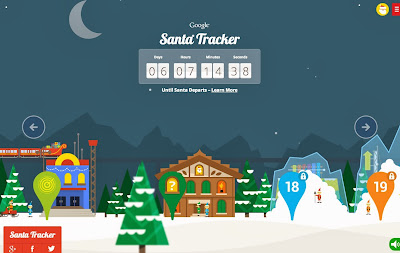
Did you know that Google has a Santa Tracker? Now obviously, Santa isn't out and about yet, however, Google's awesome Santa Tracker comes complete with a cool holiday village that similar to an Advent Calendar you can explore something new about The North Pole on a daily basis. This would be fun to share with your students now, then possibly post on your website for them to track Santa on the big day. I hope you and your students enjoy it as much as I do! Click here to visit the Santa Tracker now!
Thursday, December 12, 2013
Santa Fun with Google
While you’re counting down for Santa’s departure around the world, look no further than the +Google Maps Pegman for a skydive headfirst into 6 cities. Santa Maps Dive is built for Chrome using WebGL and a location detection API, so you can say you went “Skydiving in Chrome” when your friends asked what you did for the holidays. This would look beyond awesome on a SMART Board too! When I tried it, I learned it was a lot easier to skydive and gather gifts with the keyboard arrows instead of the mouse. Good luck!
Head to g.co/santamapsdive to sharpen your skydiving skills.

Subscribe to:
Posts (Atom)