Showing posts with label creativity. Show all posts

Wednesday, March 26, 2014

Happy Photo Editing!

I came across this awesome new addition to Google Drive and had to share!  The post is from the Google Drive Blog, enjoy!

Google Slides and Drawings make it easy for you to tell a story and share your ideas. And a big part of storytelling is the images you use to bring a concept to life. Now it’s even easier to get those images just right, because Slides will let you crop, apply shape masks, and add borders to your images right within your presentation. 

Cropping
To crop an image, select it and click on the crop image icon in the toolbar. 
Then drag the corners to your desired crop size and hit enter to make the crop. 
Applying masks 
To crop your image to a particular shape, apply a mask from the pull-down menu next to the crop icon. 
There are tons of shapes, arrows and callout designs to choose from, like the heart example below. 
Adding borders 
Add a border to your image by clicking on the line weight icon, and give it a little extra pop by changing the line color. 
Look out for image editing in Slides and Drawings over the next couple of hours. Here’s to more beautiful presentations and drawings!

Friday, March 21, 2014

Roosevelt's Doodle For Google Entries

Some of our students here at Roosevelt just participated in the Google for Doodle competition.  Students were challenged to create a Google Doodle with the following theme:

"If I Could Invent One Thing to Make the World a Better Place"

Check out our submissions below!


Wednesday, February 19, 2014

Doodle for Google 2014

I'm back from maternity leave as of today.   I hope you enjoyed a break from my daily emails although I'm looking forward to getting back to sharing things with you.

As you may or may not remember, Google holds an annual contest every year called Doodle 4 Google.   This year's theme is "If I Could Invent One Thing to Make the World a Better Place".

Before there was an airplane, there were doodles of cool flying machines. And before there was a submarine, there were doodles of magical underwater sea explorers. Since the beginning of time, ideas big and small, practical and playful, have started out as doodles. And we’re ready for more. One talented young artist (grades K-12) will see his or her artwork on the Google homepage and receive a $30,000 college scholarship and a $50,000 Google for Education technology grant for his or her school.
I think it would be awesome to see some submissions coming from Roosevelt School!   If you are interested in your students participating, please click here to download the forms to participate.  I'd be happy to help you submit them, and think it would be great if we could make copies of the submissions before sending them in, and create an awesome display of what Roosevelt students would invent to make the world a better place.  If you'd like to work this into your curriculum, click here for guides for primary, intermediate, etc.   As always, I'm happy to help, just ask!

Monday, December 9, 2013

Connected Classroom Hangout: Danny the Champion the World with Lucy Dahl

Today, Mrs. Filipiak's 3rd grade classroom had a very unique opportunity.   Before Thanksgiving, they were sent copies of the book, Danny, the Champion of the World by Roald Dahl.  Over Thanksgiving Break the third grade students read the book and when they returned, submitted questions in preparation for today's Connected Classroom Hangout with Lucy Dahl, Roald Dahl's daughter, and with Elizabeth Findley who works with Matilda, the Musical, on Broadway.  It was a BEYOND amazing experience for the students who personally got to interact with both Lucy in Los Angeles and Elizabeth in New York.   Lucy had some amazing information to share about her father and the kids and adults involved learned a lot!    Some students even were able to make some very unique and interesting connections with Roald Dahl.  As a big surprise at the end, the students received the book, Matilda, as a thanks for participating gift.  They were beyond thrilled.   Check out the video of the entire experience in the YouTube Video below.  Thank you to +Matilda The Musical Broadway and +Connor Swenson for such an amazing opportunity!   

Friday, November 15, 2013

Hour of Code

We live in a world surrounded by technology. But only a tiny fraction of students learn how computers work, or how to create software technology. Computer Science provides a foundation for virtually any career and all our students can benefit from learning the basics. 

This year, for Computer Science Education Week, a massive campaign called the Hour of Code is introducing 10 million students to try one hour of introductory computer science.

Watch the video below to find out more or check out the Hour of Code website by clicking here.  Are you interested in your class participating?   Let me know and I'd be happy to help set it up for you!

Tuesday, November 12, 2013

Students of Today

Check out this TED talk from a 12 year old app developer - who taught himself to create apps!   He is in amazing individual who shows how innovative kids are today.  Enjoy!


Thanks to Terri Bresnahan for sharing this video at our BATC meeting!

Monday, September 23, 2013

Goals & LoTi Survey

As you recall, a few weeks ago at our staff meeting, we took the Levels of Teaching Intervention (LoTi) survey.   I know that it being the beginning of the year, and parent night being on a lot of teacher's mind, it was a stressful survey, especially with all of the log in issues and it being 4:00 p.m.   That aside, this survey was meant to help give you some areas to improve on in your teaching.  I know I have a few goal areas to work on in my coaching as well!  These could be used in an evaluation setting, or in an informal setting, working with me, as your coach.  


Now that we're a solid month into school, and hopefully in the "routine" of things, I was hoping that you would consider goal setting with me in one of the areas of the LoTi survey.   Just as a background,

  • the LoTi® Digital-Age Survey is based on Moersch’s LoTi® Framework (1994)—is an empirically-validated tool that creates a personalized digital-age professional development profile for participants aligned to the NETS for Teachers (NETS-T). Since its inception in 1994, the LoTi® Framework has been used as the basis for (1) statewide technology use surveys, (2) LoTi’s®Digital-Age School improvement model, and (3) a classroom walkthrough tool impacting thousands of schools nationally.  For more information, click here


I would love to set up a meeting (or series of meetings) with you to help you set a goal based on your results.   No worries if you didn't print it out the first time we did it, I can always log back in with you and we can read them (and maybe translate some of the language to be more teacher friendly), and then come up with a goal area to work on.   In the spring we'll be taking this survey again, and I'd love it if the growth that's occurring in the building would translate to the survey!    I consider myself a life long learner, who is always looking for ways to improve.  This LoTi survey has given me a lot to think about - and I'm hoping that it can do the same for you!

If this has sparked some curiosity with you, and your forgot how to log in, just click here to be taken to the log in information!

Monday, June 3, 2013

Dotty Dots

Are you looking for a fun way for your students to interact with spelling or vocabulary words?   Check out Dotty Dots.

All you do in type in a message in the box up at the top, press go, then roll your mouse over the word to make the magic happen!    If you click on the bottom right, the dots can do different things!  It defaults on original but there is also tornado & whirlpool.   It's a lot of fun to do as a class or have students work on individually.  Check it out!

Tuesday, May 21, 2013

Study Jams


Today I learned about a fun site called Study Jams.  Study Jams is a Scholastic website designed to help elementary school students learn and review math and science information through songs and videos.  I know my students always came to life when using songs and videos!   Often, we would learn a song like the ones on Study Jams, would practice singing it, then would video it and share it with parents.  The kids loved it!

To use Study Jams students search for a topic in the math or science category. Each Study Jam offers a short tutorial on that topic in the form of a video, slideshow, or song. When there is a song available Study Jams provides a karaoke format for kids to sing along if they like.

Let me know if you want a direct link to a study jam or I can find a song that would fit your curriculum!

Wednesday, May 15, 2013

GeoGuessr


One of my favorite primary friends shared a new game with me this week called, GeoGuessr.   She thought that would be more appropriate for intermediate grades... which I would agree with, but I think you will enjoy it as well. 

GeoGuessr is a geography game which takes you on a journey around the world and challenges your ability to recognize your surroundings.   It shows you a random street corner somewhere in the world using Google Street View images. Your goal is to figure out where you are, using only the cues in the Street View images. Then place your guess on a map. The closer you are to the actual location, the higher you score.


This would be a great way to start a Social Studies class, have on the board in the morning or before lunch, or a great social studies activity.  Enjoy!

If you want to challenge us with your score or your classes' score, send it to me and I'll post a leader board in my office!

Monday, May 6, 2013

Word Clouds

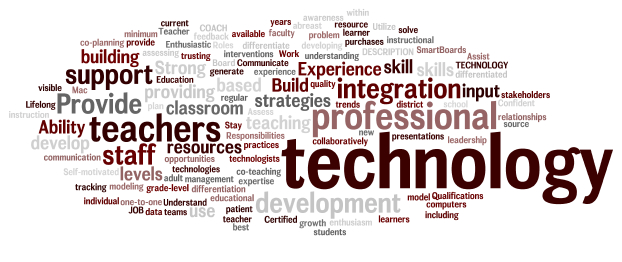
A word cloud of my job description.
I loved using Wordle in the classroom to have students summarize major units of study or as a simple get to know you activity at the beginning of the school year.  However, I came across this presentation below about different ways to use wordle in the classroom.   Some of my favorites included:

  • #10 - Having students come up with rules/norms for your classroom
  • #11 - Finding key words or ideas in a speech
  • #15 - Reporting out data on a classroom poll
  • #23 - Character Descriptions
  • #26 - Wordle walk - similar to a picture walk
  • #27 - Make a unique gift - like a mother's day wordle
  • #37 - Give students a self-esteem boost & improve relationships

Forty Interesting Ways To Use Wordle In The C from Vreed17


If you are not a huge Wordle fan, ABCYA also has a word cloud generator called Word Clouds for Kids.  Click here to give it a try!

Thursday, May 2, 2013

App of the Week: NearPod

App:  NearPod

Who is it for?   K-5 (Only on cart 3 currently)

What's Nearpod?
The Nearpod platform enables teachers to use their iPads to manage content on students' iPads, iPhones or iPods. It combines presentation, collaboration, and real-time assessment tools into one integrated solution.  To create an account or log in as a teacher you need to download the Nearpod app on an iPad. The Nearpod app for iPhone or iPod allows student access only.


Nearpod can be used in all subject areas with any and all content.   Are you interested in trying it out?   Let me know and we'll try it out!!!

Sunday, April 28, 2013

Looking for Ways to use Comic Life?

I know back in January, I wrote about Comic Life.   However, recently I co-taught a fun project in 5th grade using Comic Life and I couldn't be more impressed with the results - and the students' creativity!  Walk past Erin McCoy's room to see what I'm talking about - they are awesome!!!

If you are interested in trying out Comic Life, let me know!  I'm always happy to help!!!


Tuesday, March 19, 2013

The Peanut Gallery

Today I came across this awesome site that In the latest Chrome Experiment Peanut Gallery, you can add inter titles to old silent film clips just by speaking aloud to Google Chrome, and then easily share your work with others.  

Give it a try, and bring out the inner screenwriter in you: peanutgalleryfilms.com 

Monday, March 18, 2013

Google Maps?

Do you have upcoming travel plans for spring break?   Do you wish you were going to some place really cool and exotic?   Now you can explore some of the highest peaks in the world on Google Maps, with Street View of Aconcagua, Kilimanjaro, Mount Elbrus and Everest Base Camp.

To learn more about these new exciting features, and see some of these awesome places in action, click here.  I know a good 5th grade friend may be checking out the beaches in Hawaii...  Who wouldn't be?


And just because I'm excited for my spring break, I explored my destination with Google Maps below.  

Great beach view.

I dragged the little yellow man to get a beach view.

The A is where we are staying.

Enjoy using Google Maps in your classroom!  If you need ideas of how to implement it, let me know!  I'm happy to help!

Monday, March 11, 2013

Coggle

Have you heard about Coggle?  I read about this free mind mapping tool on Free Tech for Teachers over the weekend and just had to try it out.

To create a Coggle mind map just sign-in with your Google account and click the "+" icon to start your mind map. After entering the main idea of your mind map you can add branches by clicking the "+" icons that appear next to everything you type. To re-arrange elements just click on them and drag them around your screen.

Coggle is also a collaborative tool using email to invite others to view your mind map.    Unfortunately, since our students don't have access to email yet, students could not share these with each other, however, they could share them with you!

If you are interested in trying out Coggle with your students, let me know!  I'd be happy to help you and your students.  Check out the Coggle I created below to help me plan for a session with a teacher.  


Thursday, March 7, 2013

App of the Week: Creative Book Builder

Are you looking for a fresh way for your students to publish their work?  Wouldn't it be cool for them to write their own book?   If you think this is something that your students would be interested in, check out this app!

What is it?

Creative Book Builder is a fantastic app that allows students to create books in epub format, which can then be exported to iBooks and shared with others. There are a variety of instructional uses for this app, from using it as a publishing tool for project-based learning to a summative assessment at the end of a unit.  Students can embed images, audio files, video files, and write text.  The advantage of an epub document over a PDF document is that all of the media will be preserved and available for readers to interact with when the final product is published.  


Who is it for?
I can see this being used at all different grade levels, from a class book to students or groups of students creating their own books.   This can be use across subject areas as well - with an exciting way to share information.

One of other ITCs has also created a Google Folder with helpful how-tos on how to use Creative Book Builder in your classroom.  Click here to view her helpful tutorials.  Thanks to Amanda Pelsor for sharing!   I also found a very helpful slideshow in getting started with Creative Book Builder.  Check it out below.   Of course, if you want help, just ask!  I'm eager to try out this app with a class!

Check out How to Use Creative Book Builder by Penelope Doyle on Snapguide.

Monday, March 4, 2013

Flipping Out?

I know that ISATs, report cards, conferences, the big snow storm, committee meetings, trying to fit into your swim suit before spring break, among other things may have people flipping out!   But this is a different kind of flipped...

Flipped Classroom
Created by Knewton and Column Five Media


There are many great resources to help you with flipping your classroom.  Like TedEd for example, which has videos, resources, and questions to assess students learning after watching the video.


TED-Ed is a great resource for teachers with instructional videos for students, like the one about water above, as well as great some great professional videos for teachers.

TED-Ed has amazing resources for teachers... especially if you are considering flipping your classroom.   I'd be happy to help you flip your classroom if you are interested, even if it's trying it for a lesson!   After the ICE Conference and some good researching, I feel that we can flip classrooms, even in elementary school!  Let me know if you are interested in trying out this concept with me!

Wednesday, February 6, 2013

Happy Digital Learning Day!


Today is Digital Learning Day! To celebrate, Edutopia released their latest research review that reveals the benefits of integrating technology effectively.   Read more: http://edut.to/YDTnkZ.   


Thursday, January 31, 2013

Minnesota Zoo - Google+ Hangout with Mrs. Mata's 3rd grade class

Today Mrs. Mata's 3rd graders had the opportunity of traveling to the Minnesota Zoo via Google+. The Minnesota Zoo did an awesome job of explaining to the 3rd graders how zoos work, showed them some very cool animals, and answered a lot of well thought out questions.   This was a great way to tie in science curriculum about animals at a time when students are researching animals for a Language Arts writing assignment, and even learning about zoo animals in Spanish!   This was an exciting opportunity for kids to connect with the zoologist and naturalist from Minnesota - for free!    Thank you to the Minnesota Zoo for this awesome experience!